Ultimate Student Planner

9,7 uit 10 · 52 reviews op WebwinkelKeur
€9,95

Digitale studieplanner als Notion-template: plan vakken, deadlines en toetsen overzichtelijk op laptop of tablet. Direct te downloaden na aankoop.

Direct na betaling in je e-mail. Geen verzending nodig.
  • Direct na betaling in je e-mail
  • Pas vakken en indeling zelf aan
  • Werkt op laptop, tablet en telefoon
Payment methods
  • AliPay
  • American Express
  • Apple Pay
  • Bancontact
  • BLIK
  • Google Pay
  • iDEAL Wero
  • Klarna
  • Maestro
  • Mastercard
  • PayPal
  • Satispay
  • Shop Pay
  • Union Pay
  • USDC
  • Visa
  • WeChat Pay
How does it work?

After your order you will immediately receive an email with the download link. Open the template in Notion, duplicate it to your own workspace and fill in your subjects, test weeks and deadlines. Because everything is editable, you can adapt the layout to your course and way of working.

Specifications
  • Format: Notion template (editable)
  • Delivery: by email straight after payment
  • Compatible with: Notion
  • Shipping: not needed, it is a digital product
  • Suitable for: vocational college (mbo), university of applied sciences (hbo) and university students
Returns information

Different rules apply to digital products than to physical products. Is something not working or do you have a question about your order? Contact our customer service and we'll find a solution together.

Read the full returns policy

This is what customers say about Scholis.

What's inside

Everything for your studies in one Notion planner.

The planner consists of components that work together on a single home page: your day, your subjects, your assignments and your focus.

Startpagina van de Ultieme Studentenplanner met klok en weekplanning01Startpagina

Eén dashboard met klok, weekplanning en je to-do's, zodat je meteen ziet wat vandaag telt.

Dagplanner in de Ultieme Studentenplanner02Dagplanner

Plan je dag uur bij uur, zodat je weet wanneer je leert en uitrust en structuur in je dag krijgt.

Schoolvakken-overzicht in de Ultieme Studentenplanner03Schoolvakken

Beheer al je vakken op één plek en houd elke les, opdracht en voortgang bij per vak.

To-do tracker in de Ultieme Studentenplanner04To-do tracker

Houd elke opdracht bij met tracking op onderwerp, deadline, type en voortgangsstatus.

Event tracker in de Ultieme Studentenplanner05Event tracker

Houd belangrijke deadlines, examens en groepsprojecten bij in één handige tijdlijn.

Lees tracker met boekenlijst in de Ultieme Studentenplanner06Lees tracker

Houd je leeslijst bij, ontdek nieuwe onderwerpen en volg je voortgang in één overzicht.

Pomodoro-timer en brain dump in de Ultieme Studentenplanner07Pomodoro + brain dump

Blijf gefocust met getimede werksessies en maak je hoofd direct leeg.

Agenda en to-do list in de Ultieme Studentenplanner08Agenda + to-do list

Plan taken en deadlines in één gesynchroniseerd systeem en visualiseer je week.

Ultieme Studentenplanner: digitale Notion-studieplanner voor scholieren (afbeelding 1)
How it works

Get started in three steps.

1. Order the planner. Straight after payment you receive an email with the download link.

2. Open it in Notion. Duplicate the template to your own workspace. You'll always have it at hand, on your laptop, tablet and phone.

3. Make it yours. Fill in your subjects, test weeks and deadlines and adapt the layout to your course and way of working.

Prefer paper?

Also as a school planner.

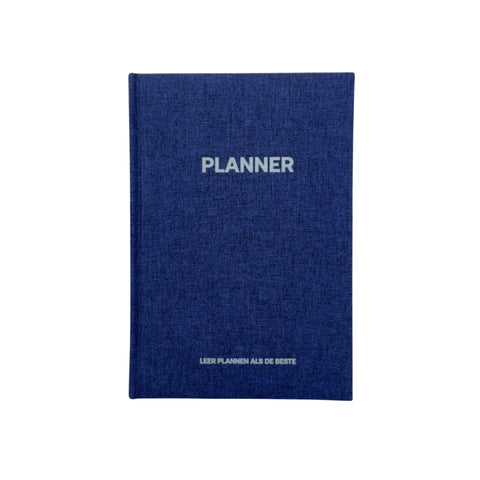
Still in secondary school or prefer to plan on paper? The Grip school planner is a daily planner with one page per day for homework, tests and tasks.

Frequently asked questions

Everything about the Student Planner.

Can't find your question here? Feel free to send us a message.

What is the Ultimate Student Planner?

A digital study planner as a Notion template. You plan subjects, deadlines, tasks and tests in one place.

Do I need Notion?

Yes, you open the planner in Notion and duplicate it to your own workspace. Notion also offers a free account; check notion.com to see which plan suits you.

How do I receive the planner?

Straight after your order you receive an email with the download link. It is a digital product, so nothing is shipped.

Can I customise the planner?

Yes, everything is editable. You adapt the layout to your course and way of working.

Which devices can I use it on?

Notion works on laptop, tablet and phone, so you have your planner at hand everywhere.

Who is the planner for?

For students in vocational education (mbo), higher professional education (hbo) and university who want a better overview of subjects, deadlines and study hours. In secondary school? Then the Grip school planner is a better fit.

Can I return the planner?

Different rules apply to digital products than to physical products. Is something not working or do you have a question about your order? Contact our customer service and we'll find a solution together.