Ultimate Productivity Planner - Digital for Maximum Efficiency

9,7 uit 10 · 52 reviews op WebwinkelKeur
€9,95

Notion productiviteitsplanner voor scholieren, studenten en ondernemers: grip op doelen, taken en tijd. Digitale template, direct te downloaden.

Direct na betaling in je e-mail. Geen verzending nodig.
  • Direct na betaling in je e-mail
  • Maak de planner helemaal van jou
  • Elke week opnieuw te gebruiken
Payment methods
  • AliPay
  • American Express
  • Apple Pay
  • Bancontact
  • BLIK
  • Google Pay
  • iDEAL Wero
  • Klarna
  • Maestro
  • Mastercard
  • PayPal
  • Satispay
  • Shop Pay
  • Union Pay
  • USDC
  • Visa
  • WeChat Pay
How does it work?

After your order you will immediately receive an email with the download link. Open the planner, duplicate it to your own workspace and start planning your day right away. Because the planner is editable, you can reuse it every week.

Specifications
  • Format: digital planner (editable)
  • Delivery: by email straight after payment
  • Shipping: not needed, it is a digital product
Returns information

Different rules apply to digital products than to physical products. Is something not working or do you have a question about your order? Contact our customer service and we'll find a solution together.

Read the full returns policy

This is what customers say about Scholis.

What's inside

Get a grip on your day, your goals and your habits.

The planner brings your goals, your to-do list and your daily schedule together in one dashboard.

Startpagina van de Ultieme productiviteitsplanner met klok, weer en doelen01Startpagina

Eén dashboard met je voortgang per jaar, maand, week en dag, plus klok en weer.

Doelen en dagelijkse to-do lijst in de Ultieme productiviteitsplanner02Doelen en to-do lijst

Verdeel grote doelen in duidelijke stappen. De takenlijst toont automatisch alle taken die je vandaag moet doen.

Planningssysteem met inbox en kalender in de Ultieme productiviteitsplanner03Planningssysteem

Plan taken per uur, geef prioriteit aan wat het belangrijkst is en ga doelbewust door je dag.

Hobby tracker in de Ultieme productiviteitsplanner04Hobby tracker

Volg je dagelijkse gewoonten, bekijk trends in grafieken en blijf gemotiveerd.

Ultieme productiviteitsplanner: digitale Notion-planner voor doelen en taken (afbeelding 1)
How it works

Get started in three steps.

1. Order the planner. Straight after payment you receive an email with the download link.

2. Open it in Notion. Duplicate the planner to your own workspace, so you always have it at hand.

3. Make it yours. Choose your goals, plan your day and use it again every week.

Prefer paper?

Also as a school planner.

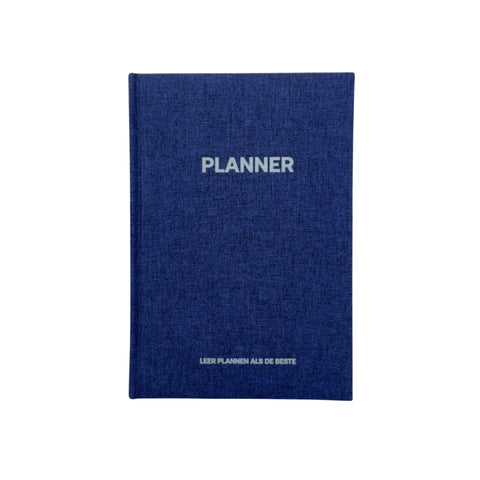
For secondary school students, the Grip school planner is a paper daily planner with the same logic: priorities first, then time blocks.

Frequently asked questions

Everything about the Productivity Planner.

Can't find your question here? Feel free to send us a message.

What is the Ultimate Productivity Planner?

A digital planner for anyone who wants more control over their time and goals: you plan goals, tasks and your day in one place.

Do I need Notion?

Yes, you open the planner in Notion and duplicate it to your own workspace. Notion also offers a free account; check notion.com to see which plan suits you.

How do I receive the planner?

Straight after your order you receive an email with the download link. It is a digital product, so nothing is shipped.

Can I customise the planner?

Yes, the planner is editable. You can reuse it every week and adapt the layout to the way you work.

What is the difference from the Student Planner?

The Student Planner is built around subjects, assignments and deadlines. The productivity planner is about goals, daily planning and habits, outside school too.

Can I return the planner?

Different rules apply to digital products than to physical products. Is something not working or do you have a question about your order? Contact our customer service and we'll find a solution together.