Ultimate Student Planner

9.7 out of 10 · 52 reviews on WebwinkelKeur
€9,95

Digital study planner as a Notion template: plan subjects, deadlines and tests clearly on your laptop or tablet. Download straight after purchase.

In your inbox straight after payment. No shipping needed.
  • In your inbox straight after payment
  • Customise subjects and layout yourself
  • Works on laptop, tablet and phone
Payment methods
  • AliPay
  • American Express
  • Apple Pay
  • Bancontact
  • BLIK
  • Google Pay
  • iDEAL Wero
  • Klarna
  • Maestro
  • Mastercard
  • PayPal
  • Satispay
  • Shop Pay
  • Union Pay
  • USDC
  • Visa
  • WeChat Pay
How does it work?

After your order you will immediately receive an email with the download link. Open the template in Notion, duplicate it to your own workspace and fill in your subjects, test weeks and deadlines. Because everything is editable, you can adapt the layout to your course and way of working.

Specifications
  • Format: Notion template (editable)
  • Delivery: by email straight after payment
  • Compatible with: Notion
  • Shipping: not needed, it is a digital product
  • Suitable for: vocational college (mbo), university of applied sciences (hbo) and university students
Returns information

Different rules apply to digital products than to physical products. Is something not working or do you have a question about your order? Contact our customer service and we'll find a solution together.

Read the full returns policy

This is what customers say about Scholis.

What's inside

Everything for your studies in one Notion planner.

The planner consists of components that work together on a single home page: your day, your subjects, your assignments and your focus.

Home page of the Ultimate Student Planner with clock and weekly planning01Home page

One dashboard with a clock, weekly planning and your to-dos, so you can see at once what matters today.

Daily planner in the Ultimate Student Planner02Daily planner

Plan your day hour by hour, so you know when to study and when to rest, and give your day some structure.

Subjects overview in the Ultimate Student Planner03School subjects

Manage all your subjects in one place and keep track of every lesson, assignment and your progress per subject.

To-do tracker in the Ultimate Student Planner04To-do tracker

Keep track of every assignment by topic, deadline, type and progress status.

Event tracker in the Ultimate Student Planner05Event tracker

Keep track of important deadlines, exams and group projects in one handy timeline.

Reading tracker with book list in the Ultimate Student Planner06Reading tracker

Keep your reading list, discover new topics and follow your progress in one overview.

Pomodoro timer and brain dump in the Ultimate Student Planner07Pomodoro + brain dump

Stay focused with timed work sessions and clear your head straight away.

Calendar and to-do list in the Ultimate Student Planner08Calendar + to-do list

Plan tasks and deadlines in one synchronised system and visualise your week.

Ultieme Studentenplanner: digitale Notion-studieplanner voor scholieren (afbeelding 1)
How it works

Get started in three steps.

1. Order the planner. Straight after payment you receive an email with the download link.

2. Open it in Notion. Duplicate the template to your own workspace. You'll always have it at hand, on your laptop, tablet and phone.

3. Make it yours. Fill in your subjects, test weeks and deadlines and adapt the layout to your course and way of working.

Prefer paper?

Also as a school planner.

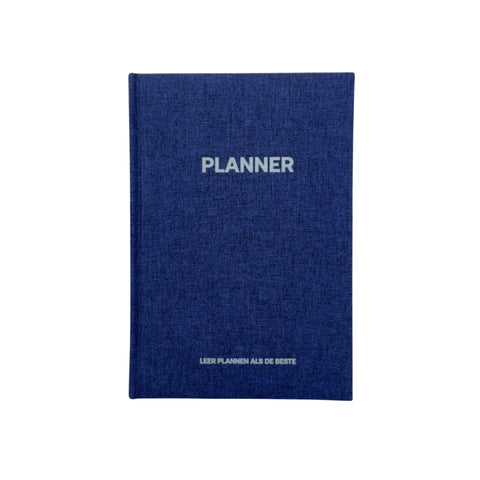
Still in secondary school or prefer to plan on paper? The Grip school planner is a daily planner with one page per day for homework, tests and tasks.

Frequently asked questions

Everything about the Student Planner.

Can't find your question here? Feel free to send us a message.

What is the Ultimate Student Planner?

A digital study planner as a Notion template. You plan subjects, deadlines, tasks and tests in one place.

Do I need Notion?

Yes, you open the planner in Notion and duplicate it to your own workspace. Notion also offers a free account; check notion.com to see which plan suits you.

How do I receive the planner?

Straight after your order you receive an email with the download link. It is a digital product, so nothing is shipped.

Can I customise the planner?

Yes, everything is editable. You adapt the layout to your course and way of working.

Which devices can I use it on?

Notion works on laptop, tablet and phone, so you have your planner at hand everywhere.

Who is the planner for?

For students in vocational education (mbo), higher professional education (hbo) and university who want a better overview of subjects, deadlines and study hours. In secondary school? Then the Grip school planner is a better fit.

Can I return the planner?

Different rules apply to digital products than to physical products. Is something not working or do you have a question about your order? Contact our customer service and we'll find a solution together.